
Conda Code#
Conda environments, packages, workspaces, and tasks in Visual Studio Code.
Conda Code registers its own provider with the Python Environments extension. It brings regular conda environments and conda-workspaces workspace environments into one manager, with package operations and declared workspace tasks alongside them.
The provider ID is jezdez.conda-code:conda. Conda Code runs the configured
conda executable directly and does not delegate to Python Environments’
built-in conda manager.
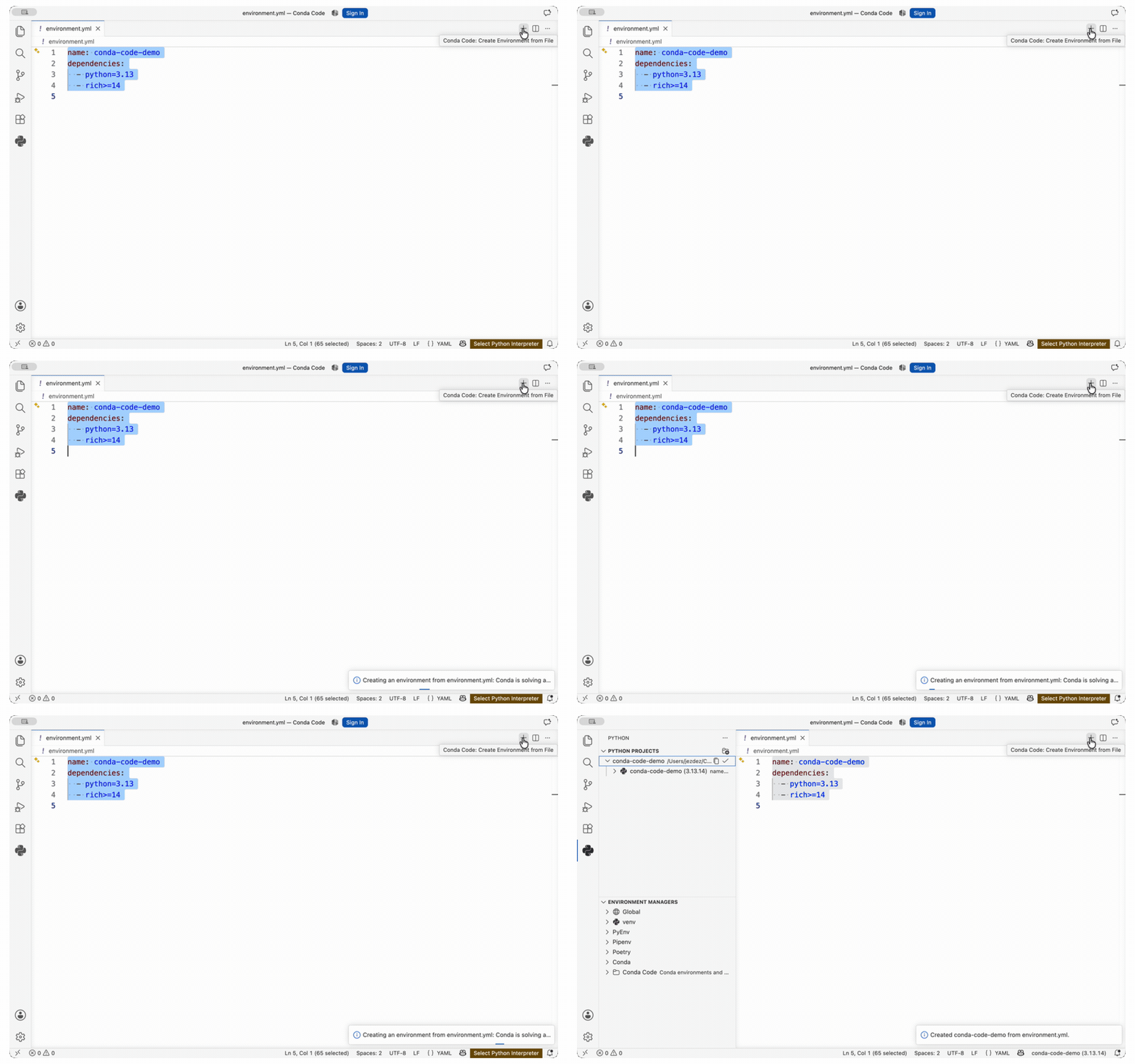
Run Conda Code: Create Environment from File from environment.yml. The
resulting regular named environment appears as the selected project environment
in the shared Python Environments UI. Python Environments supplies the views.
Conda Code supplies its own manager and performs the conda operations.
One provider for conda#
Discover the base environment, named environments, and prefix environments. Keep environments without Python visible and avoid starting an interpreter during discovery.
Create and select named environments directly from environment.yml, CEP 23
explicit files, and supported conda lockfiles.
Find installed manifest environments, route changes through conda workspace,
and run declared tasks through native VS Code tasks.
List conda package records, change regular environments through their owning conda installation, and add dependencies to supported workspace environments.
Tip
Conda Code includes conda-pypi records, accepts conda-lockfiles inputs, exports through conda-sboms, accepts explicitly configured conda-express delegates, skips conda-global tool environments and conda-exec caches, and leaves Pixi workspaces to Pixi Code when it is installed. See Ecosystem fit for how the tools fit together.
Install#
The Marketplace install above is the shortest path. You can also run:
code --install-extension jezdez.conda-code
Python Environments is installed as an extension dependency. To build Conda Code from source, see Source build.
Open the Python Environments view and select Conda Code. See the Quickstart for the complete setup.
Learn your way#
Install Conda Code, select its provider, and verify regular and workspace discovery.
Create named environments directly and from environment.yml, then create a
manifest-backed workspace environment and run one of its tasks.
Configure conda, select the provider, manage environments, run workspace tasks, and resolve common problems.
Requirements, settings, discovery rules, task definitions, and supported operation tables.
How regular environments, workspaces, provider registration, and related conda plugins fit together.
See what changed in each Conda Code release.