Features#
Single-binary bootstrapper#
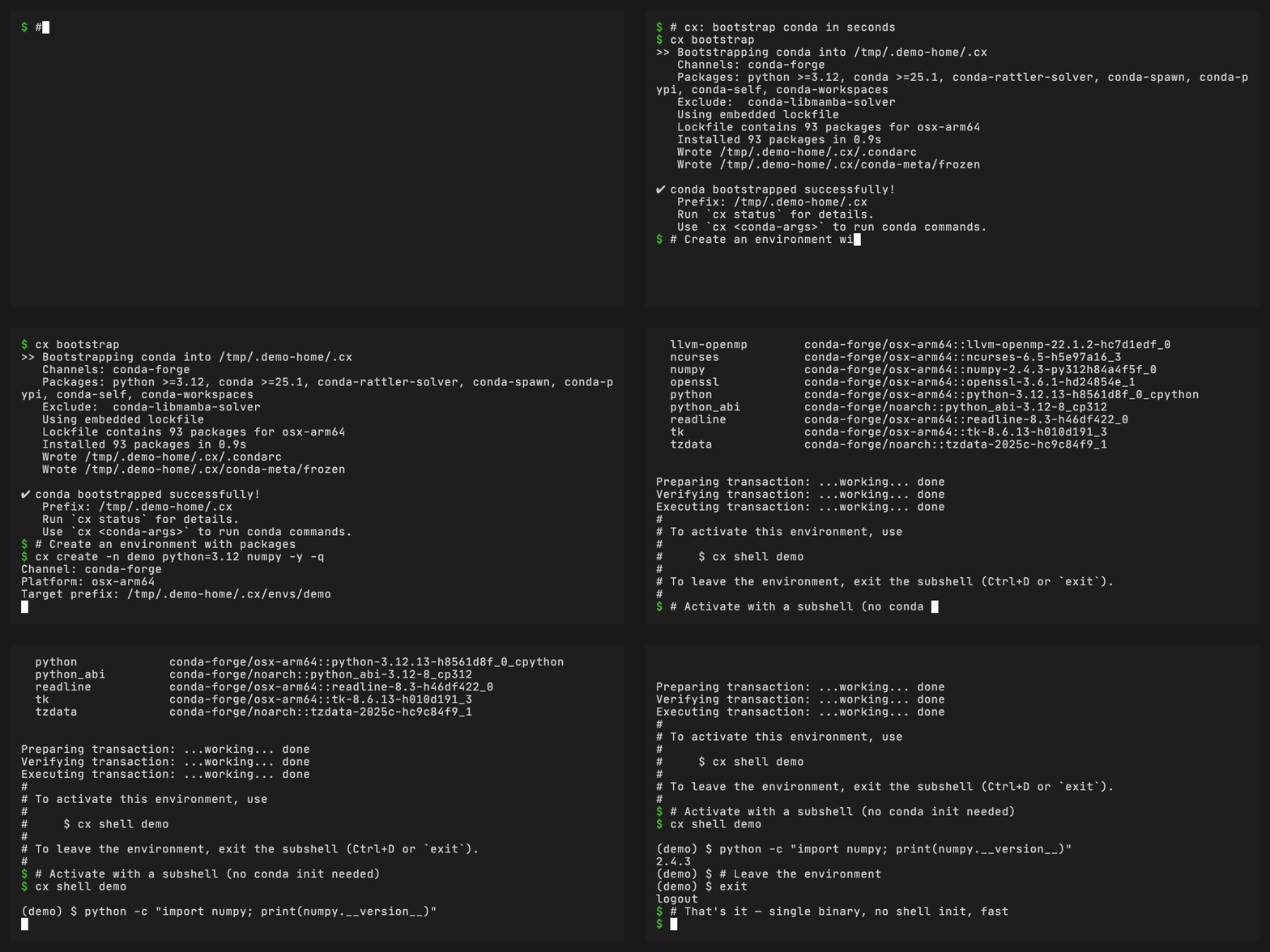
cx is a single native binary (7-11 MB depending on platform) written in Rust. It does not require a local Python installation or a platform-specific installer framework before bootstrap. Download it, run it, and it creates a managed conda base environment.
Build-time lockfile#
Pixi solves the runtime source environment into the committed pixi.lock.
During release, conda-ship derives a
rattler-lock v6
runtime lock from that source lock and stamps it into the staged binary. At
runtime, bootstrap skips repodata fetching and solving entirely; it downloads
and installs packages directly from the locked URLs.
This keeps the bootstrap tied to a recorded package set and avoids a runtime solve. See conda-ship’s source lock and runtime lock explanation for the generic build model.
Versioning follows conda#
conda-express is a conda distribution, so its release version follows the
exact conda package version in the runtime lock. A
26.7.2 conda-express release bootstraps conda
26.7.2 on every supported platform.
This makes direct downloads, PyPI wheels, Homebrew formula updates, Docker
tags, and installer-script CX_VERSION values point at the same conda runtime
version. If conda-express needs a packaging-only rebuild without changing the
conda package, it uses a post-release version such as
26.7.2.post1.
Package exclusion#
conda on conda-forge hard-depends on conda-libmamba-solver, which pulls in
27 native dependencies (libsolv, libarchive, libcurl, spdlog, etc.). Since cx
uses conda-rattler-solver instead, these are unnecessary.
cx removes them via a post-solve transitive dependency pruning algorithm: after the source environment has been solved, conda-ship identifies packages that are exclusively required by the excluded packages and removes them from the runtime lock. This reduces the install from roughly 130-140 packages to about 103-109 packages, depending on platform.
conda-rattler-solver#
cx configures conda-rattler-solver
as the default solver via .condarc. This solver is based on
resolvo, the Rust solver used by
rattler and pixi, and ships through the Python package stack with
py-rattler wheels.
conda-spawn activation#
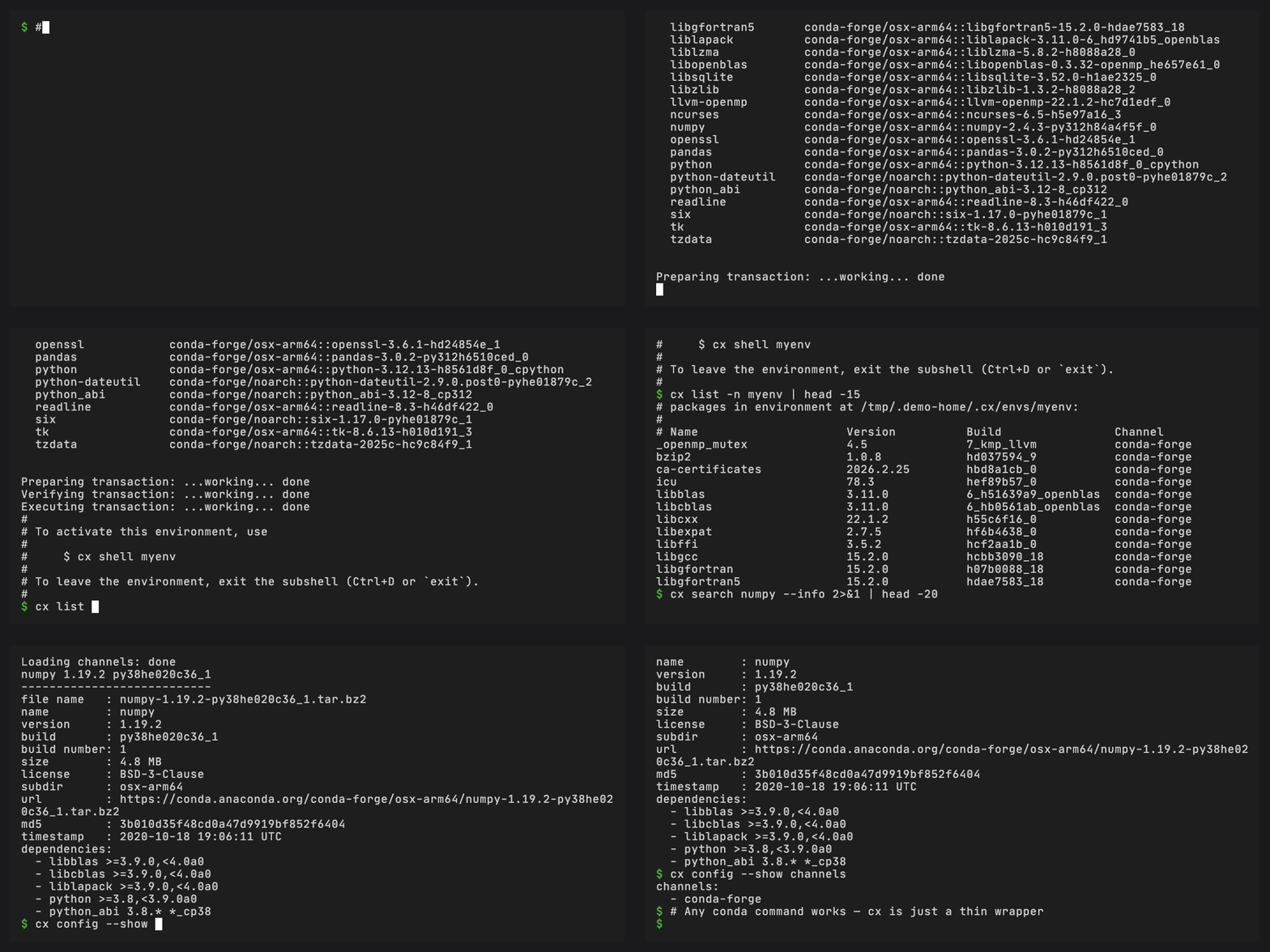
cx ships with conda-spawn as an included conda plugin:
cx spawn myenv          # spawns a subshell with myenv activated
exit                    # leaves the environment
No conda init setup is required for this activation path. Add
~/.conda/express/condabin to your PATH only if you want to run the managed
conda executable directly.
cx spawn#
cx spawn delegates to the released conda spawn command:
cx spawn myenv
The included conda-spawn 0.2.0 also provides cx shell myenv as an alias for
cx spawn myenv.
conda-completion#
cx includes conda-completion so the bootstrapped conda installation can offer
shell completion support for conda commands and plugin subcommands.
cx completion status
cx completion install --dry-run --command-name cx
Pass --command-name cx when installing or generating a completion hook so it
registers cx rather than the underlying conda executable. The runtime does
not inject a command name into the conda process.
The command is optional: cx does not require shell completion, and the dry run lets you inspect the shell profile hook before enabling it.
conda-workspaces#
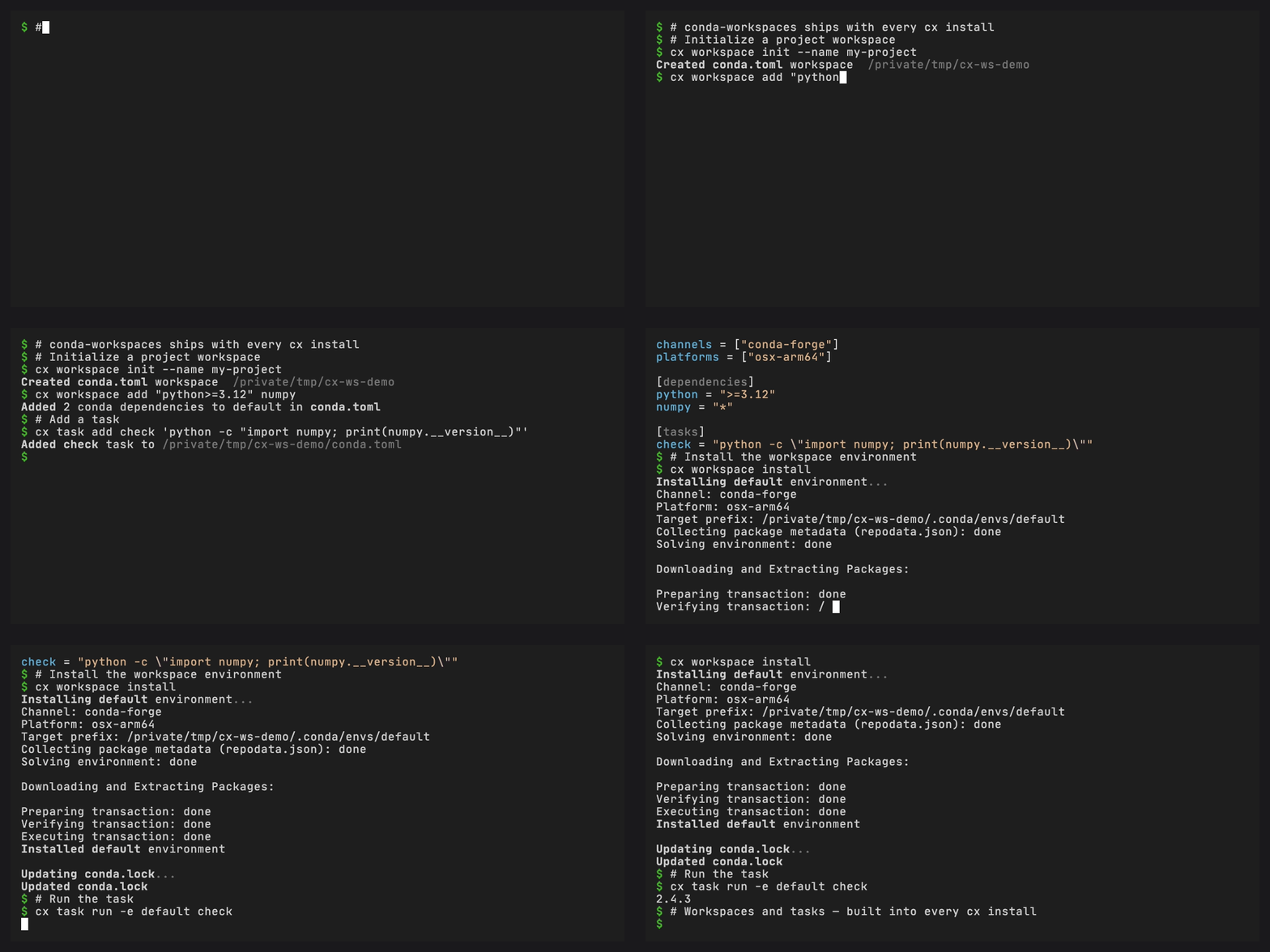
cx includes conda-workspaces, which adds project-scoped multi-environment workspace management and a task runner to conda. After bootstrap, two new subcommands are available:
# One-step bootstrap: init, add, install, and open a shell
cx workspace quickstart --name my-project python numpy

# Or step by step
cx workspace init --name my-project
cx workspace add python numpy
cx workspace install

# Define and run tasks
cx task run test
cx task list
conda-workspaces reads workspace manifests from conda.toml, pixi.toml, or
pyproject.toml — making it compatible with existing pixi projects. See the
conda-workspaces documentation
for the full feature set.
conda-exec#
cx includes conda-exec, which runs commands from conda packages in cached, isolated environments without installing them permanently into the managed base prefix. It also supports PEP 723 script metadata workflows.
# Run a package command without installing it into base
cx exec ruff --version

# Inspect or clean cached execution environments
cx exec --list
cx exec --clean --dry-run
See the conda-exec documentation for the full feature set.
conda-global#
cx includes conda-global,
which adds global tool management to conda. Install CLI tools into isolated
environments and expose them on your PATH — the same workflow as pipx or
pixi global, using conda environments:
# Install a tool globally
cx global install ruff

# List globally installed tools
cx global list

# Remove a globally installed tool
cx global remove ruff
See the conda-global documentation for the full feature set.
Frozen base prefix (CEP 22)#
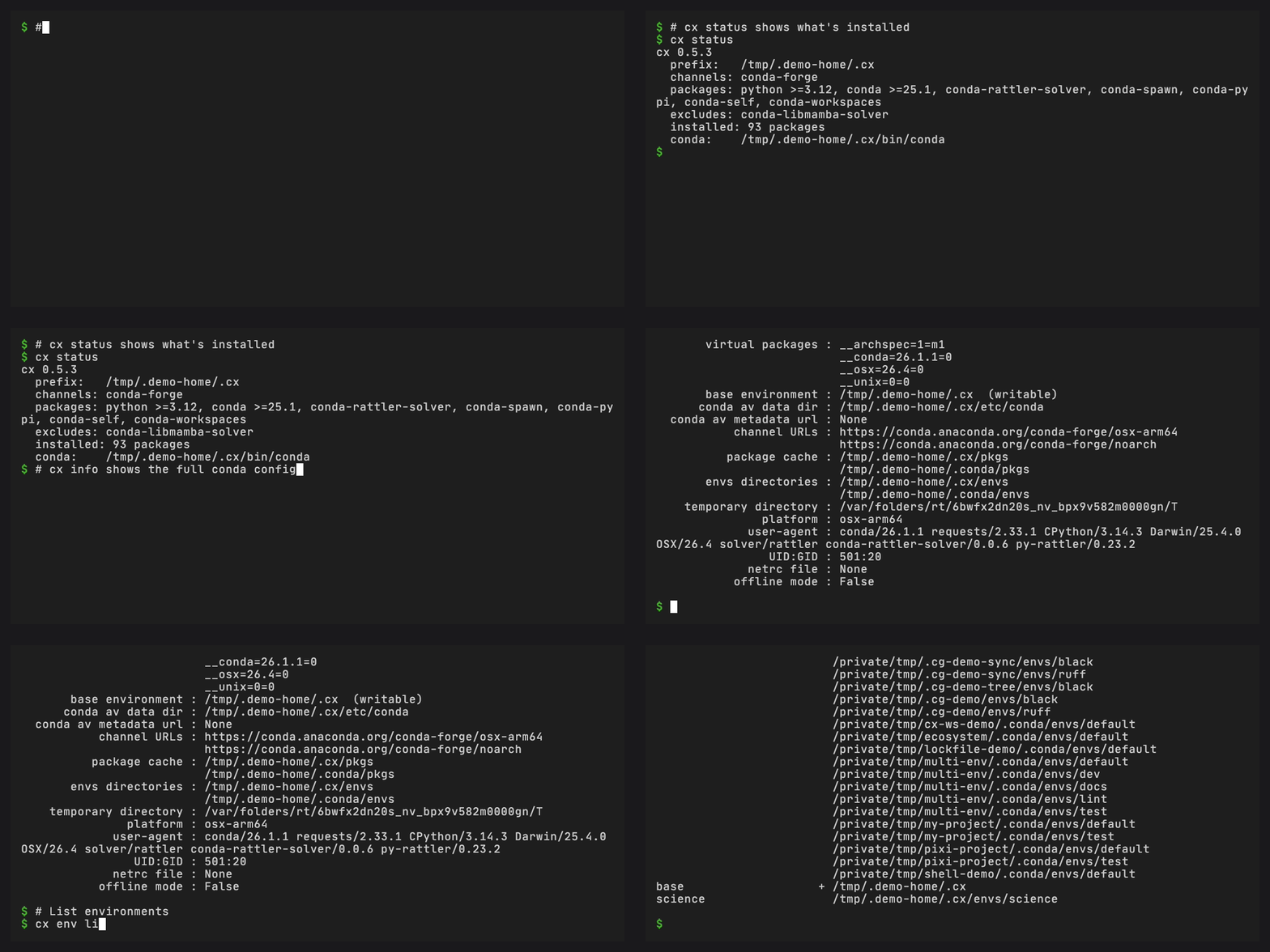
After bootstrap, cx writes a conda-meta/frozen marker file per
CEP 22. This protects the base
prefix from accidental modification. Users should create named environments
for their work:
cx create -n myenv numpy pandas
cx spawn myenv
Base prefix reset metadata#
cx also writes constructor-compatible conda prefix metadata during bootstrap:
conda-meta/history and conda-meta/initial-state.explicit.txt. The history
file lets conda recognize the managed prefix as an environment. The
initial-state file records the exact package URLs and checksums from the
stamped runtime lock.
Because conda-express includes conda-self, that initial-state snapshot can be
used to reset the managed base prefix to the package set that created the
existing prefix:
cx self reset --snapshot installer-exact
The snapshot remains part of the existing prefix. Installing a newer cx
binary does not replace it, and reset does not apply the newer binary’s
stamped runtime lock.
Auto-bootstrap#
If the prefix doesn’t exist when you run a conda command, cx automatically bootstraps before executing:
# First time: bootstraps ~/.conda/express, then creates the environment
cx create -n myenv python=3.12
Offline bootstrap#
cx supports bootstrap from a local directory of package archives, an embedded
cxz bundle, or a previously populated package cache. CX_OFFLINE makes this
usable in restricted-network environments and native installers that bundle
cx alongside a package directory.
Two environment variables control this behavior:
CX_BUNDLEpoints to a bundle directory of.conda/.tar.bz2archives. cx pre-populates the rattler package cache from this directory, then installs from cache. WithoutCX_OFFLINE, missing packages fall back to network download.CX_OFFLINEdisables all network access. All packages must be available locally (in the cache or bundle).
# Re-use packages from a previous bootstrap (no network)
CX_PREFIX=/opt/conda CX_OFFLINE=1 cx info

# Install from a bundle directory without network access
CX_BUNDLE=./packages CX_OFFLINE=1 cx info
CX_PREFIX selects a non-default managed prefix. Keep it set for later
commands that should use that prefix.
This maps to conda-ship’s online, external, and embedded artifact layouts.
conda-express publishes online cx and embedded cxz; external artifact
packaging is an integration pattern for downstream installers. See
conda-ship’s artifact layout guide
for the generic layout model.
Self-contained binary (cxz)#
cxz embeds the package archives into the binary. It is one 50-95 MB file
(varies by platform) and does not need a separate package directory.
cx (7-11 MB)              cxz (50-95 MB)
┌──────────────┐          ┌──────────────────┐
│  cx binary   │          │  cx binary       │
│  (7-11 MB)   │          │  (7-11 MB)       │
├──────────────┤          ├──────────────────┤
│  lockfile    │          │  lockfile        │
│  (~130 KB)   │          │  (~130 KB)       │
│              │          ├──────────────────┤
│              │          │  bundle.tar.zst  │
│              │          │  (40-85 MB)      │
└──────────────┘          └──────────────────┘
cxz is this repository’s conda-express embedded-bundle variant built by
conda-ship. It detects its embedded bundle automatically, so no CX_BUNDLE
directory is needed. Use CX_OFFLINE=1 in disconnected environments to make
the no-network requirement explicit. Other runtime commands follow the same
interface as cx.
It is distributed via GitHub Releases (alongside cx) and as a pre-bootstrapped
Docker image. See Offline and Air-Gapped Installs for deployment choices.
Non-conda-express embedded variants belong in
conda-ship.
Installation-owned removal#
The runtime does not reserve an uninstall command. Remove the cx binary
through the method that installed it, such as Homebrew or PyPI. A standalone
script installation is removed by deleting its binary and PATH entry.
Removing the binary leaves ~/.conda/express and its named environments in
place. Export anything you need before deleting that prefix manually. This
remains installation-method-specific until conda-self provides a
conda-express adapter.
Release artifacts#
The cx and cxz release artifacts published from this repository are built
in GitHub Actions with conda-ship. The conda-express workflows are for CI,
release, and release preparation; they are not the public generic builder
interface.
For each target, the GitHub Release includes the runtime binary plus:
.sha256checksums.info.jsonartifact metadata.runtime.lock, the lock used during bootstrap.packages.txt, a plain package list for review.cdx.json, a CycloneDX 1.7 SBOM for the resolved conda packages
The release workflow attests the complete conda-ship dist-path output before
publishing. See Verify Release Artifacts for conda-express
verification steps and
conda-ship’s artifact reference
for the generic artifact names and action outputs.
PyPI distribution#
cx is published as conda-express on
PyPI:
pip install conda-express
The PyPI package consumes the cx release artifacts built with conda-ship
instead of building runtime source in this repository.
Multi-platform support#
cx builds and tests on 5 platforms via GitHub Actions:
Platform |
Runner |
|---|---|
linux-x64 |
|
linux-aarch64 |
|
macos-x64 |
|
macos-arm64 |
|
windows-x64 |
|
conda-ship publishes Windows ARM64 builder assets and maps Windows/ARM64
action runners to aarch64-pc-windows-msvc. conda-express does not publish
Windows ARM64 cx or cxz artifacts yet because full runtime bootstrap
support still depends on the conda package ecosystem.