
Extract a named environment from a saved lock#

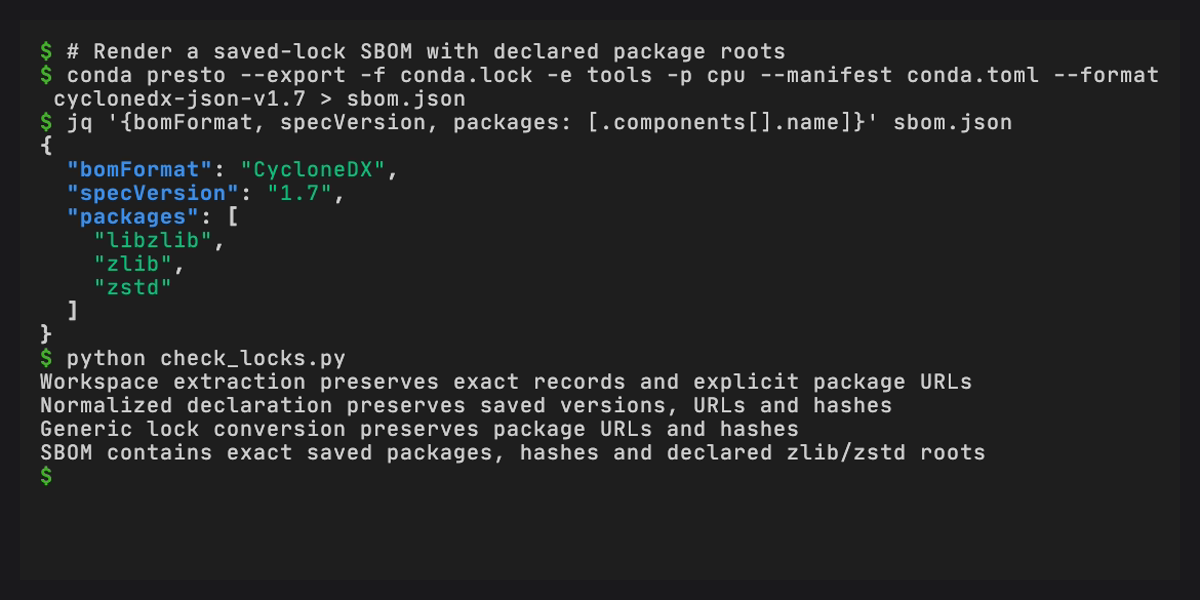
Use a workspace conda.lock to recover exact saved package selections without solving again. Start with the combined lock produced by Parse and solve a workspace manifest, containing default and test for linux-64 and osx-arm64.
Inspect and extract#
Discover the saved environments and targets:
conda presto --parse --file conda.lock
Extract test on Linux into another workspace lock:
conda presto --export --file conda.lock \
  --environment test --platform linux-64 \
  --format conda-workspaces-lock-v1 > test-linux.lock
The output contains only the selected environment, its selected targets and their referenced package records. Package URLs, hashes and supported source metadata survive extraction. YAML formatting can change. Name the file conda.lock when uploading or inspecting it with the Workspaces parser.
For logical variants such as cpu and cuda that both contain linux-64 packages, select the saved target name. A concrete subdir is accepted only when it identifies one target. Omitting both selectors exports the whole saved lock.
Export a normalized representation#
Use the same exact records with an installed conda exporter:
conda presto --export --file conda.lock \
  --environment test --platform linux-64 \
  --format explicit > test-linux-explicit.txt

conda presto --export --file conda.lock \
  --environment test --platform linux-64 \
  --format conda-toml > test-conda.toml
The explicit exporter writes the selected package URLs. Its current conda implementation does not append package checksums. Keep workspace lock output when hashes or source metadata must be preserved.
Normalized conda-toml, pixi-toml, pyproject-toml and environment YAML describe the selected packages as requirements. A matching companion manifest does not replace the saved package records with its declared requirements. These exports cannot recover the original manifest’s comments, tasks or feature composition. Select one environment and targets with distinct concrete subdirs. Single-document exporters, including environment YAML and explicit lists, require one target.
Use the HTTP API#
Start Presto with conda presto --serve, then submit the saved lock:
export CONDA_PRESTO_URL=http://127.0.0.1:8000

curl --fail-with-body --silent --show-error \
  --data-binary @conda.lock --header 'Content-Type: application/yaml' \
  "$CONDA_PRESTO_URL/export?filename=conda.lock&environment=test&platform=linux-64&format=workspace-lock" \
  --output test-linux.lock

curl --fail-with-body --silent --show-error \
  --data-binary @conda.lock --header 'Content-Type: application/yaml' \
  "$CONDA_PRESTO_URL/export?filename=conda.lock&environment=test&platform=linux-64&format=environment-yaml" \
  --dump-header export-headers.txt --output test-environment.yml
Successful eligible outputs include a Location: /r/... response header for retrieving the exact retained bytes. Storage availability determines whether a location is returned. /parse accepts JSON containing the lock content, filename: "conda.lock" and optional environments and platforms arrays for discovery or selection.
These operations do not solve, fetch repodata, download archives, install packages or execute tasks. Extra requirements and channel overrides fail because they request a different solution. Missing selections, external package references and malformed records also fail explicitly.
Generate SBOMs from saved records#
Use an installation with conda-sboms available. The CLI renders one selected environment and target through the existing export mode:
conda presto --export --file conda.lock \
  --environment test --platform linux-64 \
  --format cyclonedx-json-v1.7 > test-linux.cdx.json
The document describes the exact saved records and their dependency graph. Conda-sboms infers graph roots when the original requested requirements are unavailable. To use declared roots instead, add --manifest conda.toml with the matching workspace manifest. Presto checks the selected environment and target, concrete platform, ordered channels and direct requirements against the lock. The provider reports inferred-graph-roots or requested-packages in the environment’s properties. Its coverage markers remain intact.
The HTTP API can return one complete document for each explicitly selected environment and target:
jq -n --rawfile file conda.lock \
  '{file: $file, filename: "conda.lock", environments: ["default", "test"], platforms: ["linux-64", "osx-arm64"]}' |
  curl --fail-with-body --silent --show-error \
    --header 'Content-Type: application/json' --data-binary @- \
    "$CONDA_PRESTO_URL/sbom" --output sboms.json

jq -j '.sboms[] | select(.environment == "test" and .platform == "linux-64") | .content' \
  sboms.json > test-linux.cdx.json
Each item includes environment, logical platform, concrete subdir, the document’s content and sha256, and location when its bytes were retained. Save content unchanged. The collection keeps distinct logical targets even when they share a concrete conda platform. Empty or missing selectors, unsupported records and failed rendering reject the request without returning a successful partial collection.
For declared roots, add --rawfile manifest conda.toml to the jq command and add manifest: $manifest, manifest_filename: "conda.toml" to its JSON object. The same optional fields work with /export?format=cyclonedx-json-v1.7 for one selected target. A companion manifest with unmet requirements, different channels or mismatched platforms is rejected. This validates the supplied context rather than checking every aspect of manifest–lock freshness.
SBOM generation from a lock does not solve or download packages. The documents describe conda records, not inspected package payloads or the complete contents of a downstream product. Ordinary requirement requests to /sbom retain their existing solve-based behavior. Direct manifest SBOM requests and ordinary conda-lock or rattler-lock uploads remain unsupported.
Upstream providers#
Provider |
Reused functionality |
|---|---|
conda-workspaces |
|
conda |
|
conda-lockfiles |
Existing conda-lock and rattler-lock parsers, models and exporters support the ordinary lock conversion workflow. |
conda-sboms |
Its registered CycloneDX exporter renders saved records, package hashes, dependency edges, graph or requested roots, and coverage markers. |
The conda-workspaces selection APIs are available in version 0.10.0 and later, required by Presto. Lock extraction needs no additional runtime provider. SBOM rendering uses the already-supported conda-sboms provider.
Workspace conversion to conda-lock-v1 or rattler-lock-v6 remains unavailable because the current conda-lockfiles exporters discard some saved metadata, including explicit build numbers. Those conversions need upstream preservation or representability checks. The separate conda-lockfiles no-download transcoding API is also unreleased, so ordinary lock conversion continues to use Presto’s existing compatibility adapter. These limitations do not affect source workspace-lock extraction.